
Download iTunes Backup Extractor – extract iPhone backup, recover lost data, recover deleted messages, restore iPhone data, extract data from iTunes backup
Overview
The iTunes Backup Extractor is a specialized mobile utility designed to assist users in retrieving data from iTunes backups of their iOS devices. This app serves as a direct solution for individuals who have lost critical information—such as photos, messages, contacts, or documents—after device failure, accidental deletion, or system updates. By bypassing the need for iTunes or iCloud, the tool enables users to extract and recover specific files from existing backup archives stored on their computer.
Target users include individuals managing personal data recovery, technical support professionals, and anyone seeking to restore lost content without relying on cloud-based services. The app is particularly valuable for those who prefer local backups over cloud storage due to privacy concerns or limited internet access. It supports a range of file types, including text messages, call logs, photos, and app data, making it a versatile tool within the data recovery ecosystem.
Developed by iMyFone, a company known for digital recovery and data management tools, the app reflects a focused approach to solving a niche but essential problem in mobile data preservation. Although the developer did not provide additional technical details about the app’s architecture or data handling protocols, its core functionality centers on secure and selective extraction from iTunes backups. Real-world use cases include recovering deleted text messages after a device reset, retrieving photos from a backup prior to a hardware failure, or restoring app data after a system reinstall.
Key Features & Functionality
- Extract from iTunes Backups: The app enables users to browse and extract individual files from iTunes backup archives, allowing selective recovery without restoring the entire backup.
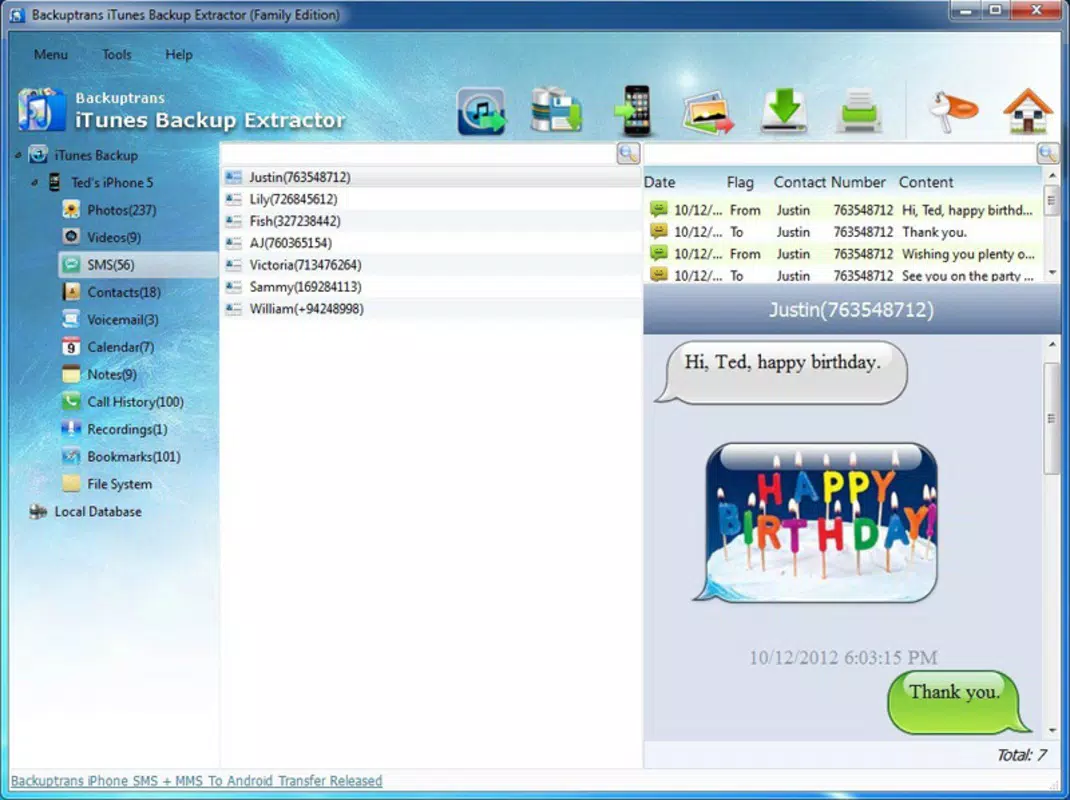
- Recover Deleted Messages: Users can retrieve iMessages, SMS, and MMS messages that were previously deleted from their iPhone, even after a device wipe or system reset.
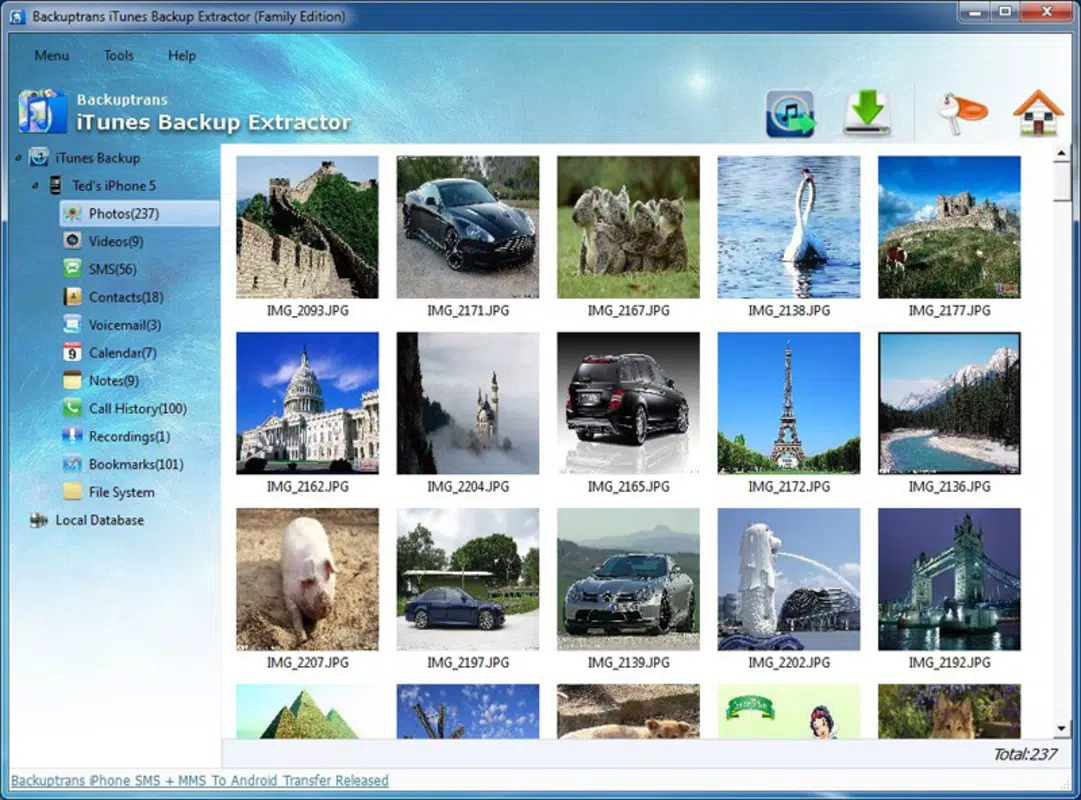
- Support for Multiple File Types: The tool handles a wide array of data formats, including photos, contacts, call logs, notes, calendar entries, and app-specific data.
- User-Friendly Interface: Designed with simplicity in mind, the app offers a clean layout with intuitive navigation to guide users through the extraction process.
- Local Data Access: All operations are performed locally on the user’s device, ensuring data privacy and minimizing reliance on third-party servers.
For example, a user who accidentally deleted a series of important work-related messages can use the app to locate and extract those messages from an older iTunes backup. Similarly, someone who lost photos after a device malfunction can recover them by accessing a prior backup stored on their computer. The app’s ability to isolate specific data sets reduces recovery time and prevents unnecessary data overwrites. By focusing on precision and control, the tool empowers users to regain access to critical information without the complexity of full system restores.
Interface, UX & Performance
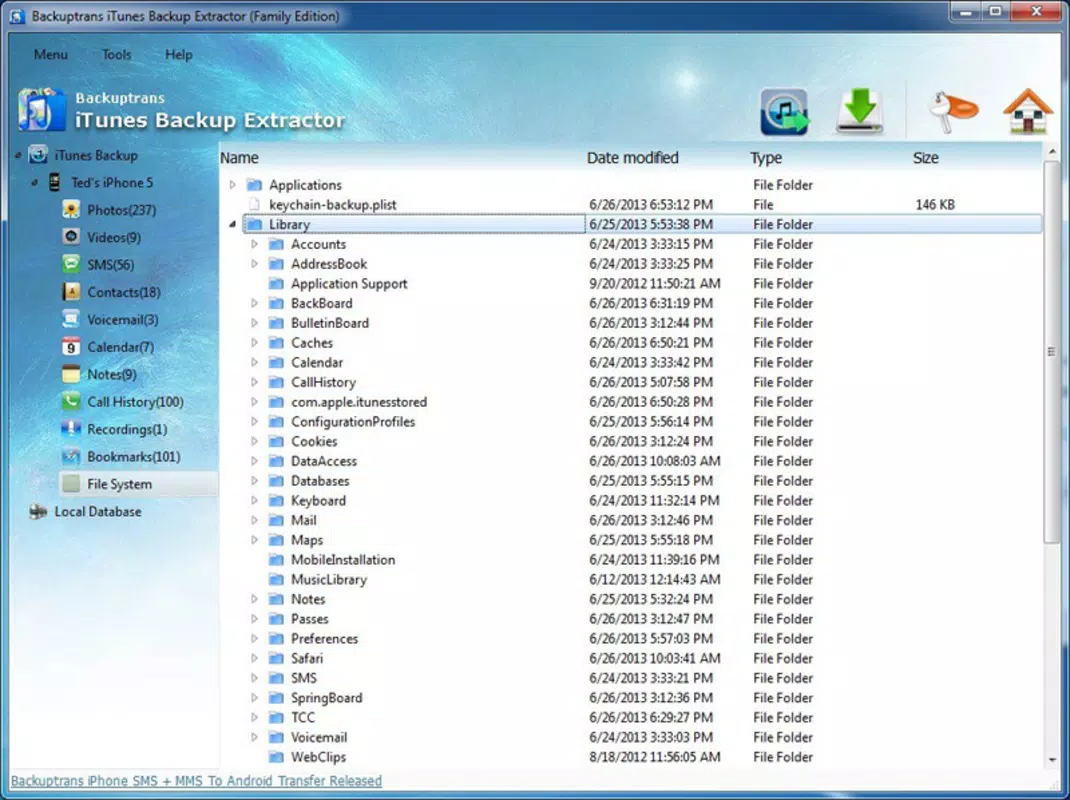
The user interface of iTunes Backup Extractor is designed to be clean, straightforward, and accessible to users with varying technical experience. Navigation follows a logical flow: users begin by selecting a backup file, then browse through categorized data folders, and finally choose which items to extract. The visual style emphasizes clarity, with minimal distractions and consistent iconography that supports intuitive interaction.
Although the developer did not list formal performance metrics, the app appears to function efficiently on standard Android devices, with responsive controls and smooth transitions between screens. Users can expect stable operation during file scanning and extraction processes, though performance may vary depending on the size of the backup and the device’s processing power. The app maintains a consistent state during long operations, minimizing the risk of crashes or data corruption.
Responsiveness is maintained across different screen sizes and resolutions, suggesting compatibility with a broad range of Android smartphones and tablets. Stability during extended use has not been reported as an issue in available documentation. However, specific requirements for RAM, CPU, or storage were not listed, so users should ensure their device meets general Android performance standards for running utility applications.
Platform Compatibility & Technical Requirements
iTunes Backup Extractor is available exclusively on the Android platform. It requires an Android device running a compatible operating system, though the developer did not specify minimum OS versions or hardware requirements. The app has a file size of 42.8 MB, which is relatively compact for a data recovery tool with advanced functionality.
Installation is straightforward, and the app does not require root access or complex configuration. Users must have access to a computer where an iTunes backup is stored, as the app operates in conjunction with local backup files. Compatibility with different Android versions and device types was not fully disclosed, so users should verify that their device supports the latest version of the app.
Pros and Cons
Pros
- Enables selective extraction from iTunes backups without full system restore.
- Supports recovery of deleted messages, photos, contacts, and other key data types.
- Designed with a user-friendly interface for non-technical users.
- Operates locally, enhancing data privacy and security.
- Compact file size (42.8 MB) with efficient resource usage.
Cons
- Price point of $49.99 may be considered high for casual users.
- Developer did not specify minimum OS or hardware requirements.
- Requires access to a computer with an existing iTunes backup.
- Platform availability limited to Android only.
- Performance on low-end devices was not verified by the developer.
FAQ
Is iTunes Backup Extractor safe to use?
The app operates locally on the user’s Android device and accesses backup files stored on a computer. It does not upload data to external servers, which helps maintain privacy and security.
Can I use this app without a computer?
No, the app requires access to a computer where an iTunes backup is stored. It cannot function independently without a local backup file.
Does the app work on iOS devices?
Currently, iTunes Backup Extractor is only available for Android. There is no official iOS version available.
How do I update the app?
Updates can be downloaded through the official Android app store or the developer’s website. Users should ensure they are using the latest version for optimal performance and compatibility.
Is the app secure for sensitive data?
Since all data processing occurs locally and no information is transmitted to external servers, the app is designed to be secure for handling sensitive personal and business data.
Final Thoughts
iTunes Backup Extractor stands out as a focused and effective solution for users seeking to recover lost data from iTunes backups. Its ability to extract specific files—such as deleted messages or photos—without requiring a full device restore offers a level of control and precision that many users find invaluable. While the $49.99 price tag may deter casual users, professionals and power users who prioritize data integrity and privacy will likely find the investment justified.
The app’s clean interface, local operation, and support for multiple file types make it a reliable utility within the mobile data recovery space. Its exclusivity to Android limits accessibility, but for users already on the platform, it provides a powerful tool for data preservation and recovery.
Download iTunes Backup Extractor now


